

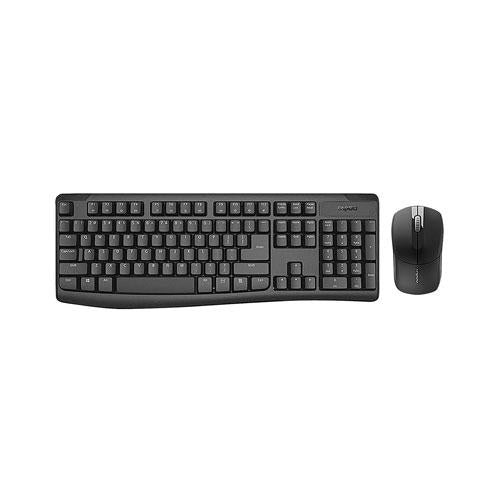

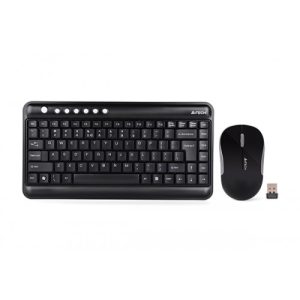
Rapoo X1800Pro Wireless Multimedia Optical Mouse & Keyboard
- Brand-Rapoo
- Model-Rapoo X1800
- Type-Wireless
- Number of Buttons-104 Keys
- DPI-1000 DPI
Specification
Rapoo X1800Pro Wireless Keyboard
| General | |
| Brand | Rapoo |
| Model | Rapoo X1800 |
| Style & Size | Regular Big |
| Type | Wireless |
| Technical Information | |
| Mouse, Touchpad | Mouse & Keyboard |
| Number of Buttons | 104 Keys |
| DPI | 1000 DPI |
| Physical Description | |
| Color | Black |
| Warranty | |
| Warranty | 02 Years |
Description
Rapoo X1800Pro Wireless Keyboard
Rapoo X1800Pro Wireless Keyboard Right, it’s Rapoo, one of the most advanced peripheral manufacturer in the mainland China. It has been producing keyboards and mice for years with reliable quality. Shenzhen Rapoo Technology Co., Ltd. is a China-based company, principally engaged in the research and development, manufacture and distribution of computer peripheral equipment. Why My Rapoo Keyboard Is Not Working? Make sure the battery is installed correctly. I need a new battery for my low battery. Make sure other wireless devices are not connected to the receiver or device.
Verdict. The Rapoo V500 Pro is a good entry-level keyboard under Rs 3000 price tag. I was impressed with the key response and the compact form factor. … The company’s main focus is on the wireless peripheral technology, including computer peripherals (mice, keyboards), mobile peripherals, smart home devices, and gaming peripherals. Insert the single AA battery and you are ready to use the Rapoo wireless keyboard. To connect to your PC / Laptop you need to insert the 2.4GHz USB Nano receiver into a USB port. The pairing procedure was straightforward: turn on the Bluetooth on the iPad, power up the Rapoo, press the sync button on the back of the keyboard, and enter the 4 digit number presented on the iPad into the keyboard.
Simply put, the Fn key used with the F keys across the top of the keyboard, provides short cuts to performing actions, such as controlling the brightness of the screen, turning Bluetooth on/off, turning WI-Fi on/off.
| Brand | Rapoo |
|---|---|
| Keyboard Type | Combo |
| Keyboard Interface | Wireless |
What is the price of Rapoo X1800Pro Wireless Multimedia Optical Mouse & Keyboard in Bangladesh?
The latest price of Rapoo X1800Pro Wireless Multimedia Optical Mouse & Keyboard in Bangladesh is .00৳. You can buy the Rapoo X1800Pro Wireless Multimedia Optical Mouse & Keyboard at best price from our website or visit any of our showrooms.
You must be logged in to post a review.

Reviews
There are no reviews yet.